INSTAAPROAPP · ANDROID GUIDE
Insta Pro APK Ghost Mode: What It Can and Cannot Hide
Clear explanations, practical steps and key considerations for Android users.

Insta Pro APK Ghost Mode: What It Can and Cannot Hide is a practical guide to interpreting Ghost Mode claims. It is written for Android users who want clear explanations rather than a promise that every unofficial feature works on every device. Insta Pro APK is commonly used as a label for altered Instagram clients, and the details can vary substantially between builds. That distinction matters whenever a feature involves login, downloading media, or a privacy-related setting.
This guide starts with the situations people actually encounter and then examines what to check, what to avoid, and what to do if the experience does not match the claim. We will not describe an unverified APK as virus-free, officially endorsed, or immune to account restrictions. Use the steps as a way to make a careful decision, not as a substitute for reviewing the exact file and its publisher.
What Ghost Mode Means
Ghost Mode is a marketing umbrella rather than an official Instagram privacy standard. Two APKs can show the same label yet control different settings. The important questions are what the tool actually changes, what data it can access, and whether the result still works after a service update.
- Read the exact setting description instead of relying on the name. There is no universal guarantee across builds. If the action involves account credentials, protected messages or access to someone else’s content, take extra care. If a reliable official method solves the same problem, it is worth comparing that option before accepting the maintenance and trust costs of an unofficial application.
- For a practical evaluation, write down the exact version and the screen where you found the setting. Try to reproduce the ordinary task, such as locating a saved file or testing a visual option, without granting unrelated permissions. A missing control may be a version difference, while a login failure may be caused by a remote service change. Neither issue is automatically solved by downloading another file from an unknown page. When the evidence is limited, leave the feature described as an advertised possibility, not a proven guarantee.
Story View Visibility
Story views may be tracked or synchronized on remote servers. An unofficial client could hide local feedback while a viewer record still updates later. The important questions are what the tool actually changes, what data it can access, and whether the result still works after a service update.
- Do not make sensitive decisions based on an unverified anonymous-view claim. A short test is not proof the behavior remains stable. If the action involves account credentials, protected messages or access to someone else’s content, take extra care. If a reliable official method solves the same problem, it is worth comparing that option before accepting the maintenance and trust costs of an unofficial application.
- For a practical evaluation, write down the exact version and the screen where you found the setting. Try to reproduce the ordinary task, such as locating a saved file or testing a visual option, without granting unrelated permissions. A missing control may be a version difference, while a login failure may be caused by a remote service change. Neither issue is automatically solved by downloading another file from an unknown page. When the evidence is limited, leave the feature described as an advertised possibility, not a proven guarantee.
Direct Message Read Receipts
Message status is influenced by app and server behavior. An unread label on one screen does not confirm what the other participant sees. The important questions are what the tool actually changes, what data it can access, and whether the result still works after a service update.
- Use official privacy settings where available and set realistic expectations. A client update can change receipt behavior overnight. If the action involves account credentials, protected messages or access to someone else’s content, take extra care. If a reliable official method solves the same problem, it is worth comparing that option before accepting the maintenance and trust costs of an unofficial application.
- For a practical evaluation, write down the exact version and the screen where you found the setting. Try to reproduce the ordinary task, such as locating a saved file or testing a visual option, without granting unrelated permissions. A missing control may be a version difference, while a login failure may be caused by a remote service change. Neither issue is automatically solved by downloading another file from an unknown page. When the evidence is limited, leave the feature described as an advertised possibility, not a proven guarantee.
Practical checklist
- Use official privacy settings where available and set realistic expectations.
- Confirm the actual software version and source before trusting a claim.
- Keep a way to return to your normal, officially supported workflow.
- A client update can change receipt behavior overnight.
Online Status and Activity
Activity indicators may depend on preferences, sessions and service rules. Switching one local status option might not hide activity across another logged-in device. The important questions are what the tool actually changes, what data it can access, and whether the result still works after a service update.
- Review account activity controls in the official application. Other users may infer availability from actions that remain visible. If the action involves account credentials, protected messages or access to someone else’s content, take extra care. If a reliable official method solves the same problem, it is worth comparing that option before accepting the maintenance and trust costs of an unofficial application.
- For a practical evaluation, write down the exact version and the screen where you found the setting. Try to reproduce the ordinary task, such as locating a saved file or testing a visual option, without granting unrelated permissions. A missing control may be a version difference, while a login failure may be caused by a remote service change. Neither issue is automatically solved by downloading another file from an unknown page. When the evidence is limited, leave the feature described as an advertised possibility, not a proven guarantee.
Typing Indicators
Some modifications try to reduce live typing signals. A message draft may be composed without displaying a cue, but behavior is not universally assured. The important questions are what the tool actually changes, what data it can access, and whether the result still works after a service update.
- Assume an active conversation may reveal your presence indirectly. Do not use technical tricks to deceive or harass others. If the action involves account credentials, protected messages or access to someone else’s content, take extra care. If a reliable official method solves the same problem, it is worth comparing that option before accepting the maintenance and trust costs of an unofficial application.
- For a practical evaluation, write down the exact version and the screen where you found the setting. Try to reproduce the ordinary task, such as locating a saved file or testing a visual option, without granting unrelated permissions. A missing control may be a version difference, while a login failure may be caused by a remote service change. Neither issue is automatically solved by downloading another file from an unknown page. When the evidence is limited, leave the feature described as an advertised possibility, not a proven guarantee.
Screenshots and Screen Recording
Privacy modes do not reliably control what happens on another person’s device. Even when a platform does not notify about certain captures, privacy expectations remain important. The important questions are what the tool actually changes, what data it can access, and whether the result still works after a service update.
- Treat shared media as potentially recordable once displayed. Never promise recipients absolute deletion or secrecy. If the action involves account credentials, protected messages or access to someone else’s content, take extra care. If a reliable official method solves the same problem, it is worth comparing that option before accepting the maintenance and trust costs of an unofficial application.
- For a practical evaluation, write down the exact version and the screen where you found the setting. Try to reproduce the ordinary task, such as locating a saved file or testing a visual option, without granting unrelated permissions. A missing control may be a version difference, while a login failure may be caused by a remote service change. Neither issue is automatically solved by downloading another file from an unknown page. When the evidence is limited, leave the feature described as an advertised possibility, not a proven guarantee.
Testing Claims Carefully
App behavior can vary by account, build, connection and feature rollout. Testing with one friend once is weaker evidence than checking several normal scenarios. The important questions are what the tool actually changes, what data it can access, and whether the result still works after a service update.
- Use a non-sensitive test account if you insist on evaluating behavior. Do not expose real private communications for an experiment. If the action involves account credentials, protected messages or access to someone else’s content, take extra care. If a reliable official method solves the same problem, it is worth comparing that option before accepting the maintenance and trust costs of an unofficial application.
- For a practical evaluation, write down the exact version and the screen where you found the setting. Try to reproduce the ordinary task, such as locating a saved file or testing a visual option, without granting unrelated permissions. A missing control may be a version difference, while a login failure may be caused by a remote service change. Neither issue is automatically solved by downloading another file from an unknown page. When the evidence is limited, leave the feature described as an advertised possibility, not a proven guarantee.
Practical checklist
- Use a non-sensitive test account if you insist on evaluating behavior.
- Confirm the actual software version and source before trusting a claim.
- Keep a way to return to your normal, officially supported workflow.
- Do not expose real private communications for an experiment.
Security Is Different From Invisibility
A hidden read receipt does not protect credentials or stored messages. A perfectly concealed status switch could coexist with intrusive data collection. The important questions are what the tool actually changes, what data it can access, and whether the result still works after a service update.
- Evaluate device permissions and account security separately. Ghost Mode is not encryption or malware protection. If the action involves account credentials, protected messages or access to someone else’s content, take extra care. If a reliable official method solves the same problem, it is worth comparing that option before accepting the maintenance and trust costs of an unofficial application.
- For a practical evaluation, write down the exact version and the screen where you found the setting. Try to reproduce the ordinary task, such as locating a saved file or testing a visual option, without granting unrelated permissions. A missing control may be a version difference, while a login failure may be caused by a remote service change. Neither issue is automatically solved by downloading another file from an unknown page. When the evidence is limited, leave the feature described as an advertised possibility, not a proven guarantee.
Alternatives for More Privacy
Boundaries and supported account settings often work better than promises of stealth. Muting notifications or setting communication expectations can reduce pressure to answer immediately. The important questions are what the tool actually changes, what data it can access, and whether the result still works after a service update.
- Choose controls you can explain and verify. For critical privacy needs, avoid relying on unofficial stealth features. If the action involves account credentials, protected messages or access to someone else’s content, take extra care. If a reliable official method solves the same problem, it is worth comparing that option before accepting the maintenance and trust costs of an unofficial application.
- For a practical evaluation, write down the exact version and the screen where you found the setting. Try to reproduce the ordinary task, such as locating a saved file or testing a visual option, without granting unrelated permissions. A missing control may be a version difference, while a login failure may be caused by a remote service change. Neither issue is automatically solved by downloading another file from an unknown page. When the evidence is limited, leave the feature described as an advertised possibility, not a proven guarantee.
Questions Readers Often Ask
Does Ghost Mode make me invisible?
No mode can be assumed to hide every account action or remote server event. The exact answer may also depend on your app build, Android version, and Instagram account settings. If the result affects account security, verify it through a trusted official channel rather than relying only on an unofficial app description.
- Possibly. It depends on actual service behavior and app compatibility.
- No. Activity controls are different from protecting message contents and credentials.
Can the other person still see a read receipt?
It depends on the APK release and your phone. Check the version details, current app permissions, and official Instagram options before relying on this feature.
Is Ghost Mode the same as encryption?
It depends on the APK release and your phone. Check the version details, current app permissions, and official Instagram options before relying on this feature.
Will a setting work forever?
It depends on the APK release and your phone. Check the version details, current app permissions, and official Instagram options before relying on this feature.
What if I need dependable privacy?
It depends on the APK release and your phone. Check the version details, current app permissions, and official Instagram options before relying on this feature.
Further Reading on Insta App Hub
Continue with these focused guides if you want to compare features, understand the risks, or solve a specific problem before making a change.
- How to Update Insta Pro APK Without Losing Important Data
- Insta Pro APK Features Explained: Downloads, Ghost Mode and Themes
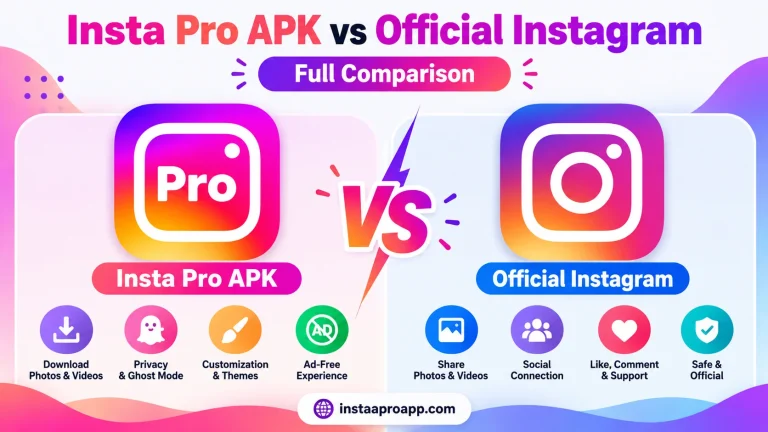
- Insta Pro APK vs Official Instagram: Full Comparison
Return to the Insta Pro APK homepage to explore the full guide and related resources.